


3D Battery Charging Animation
4.442.00 Reviews
App Specs
- Version
- 2.0.3
- Updated On
- License
- Free
- Downloads
- 1,000,000+
- Developer
- JedyApps
- Categories
- Personalization
- Platform
- Android
Screenshots
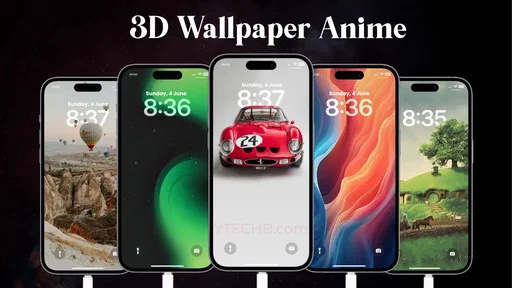
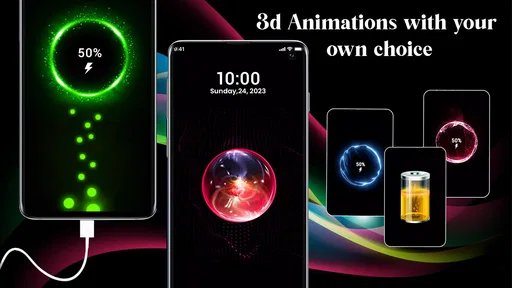
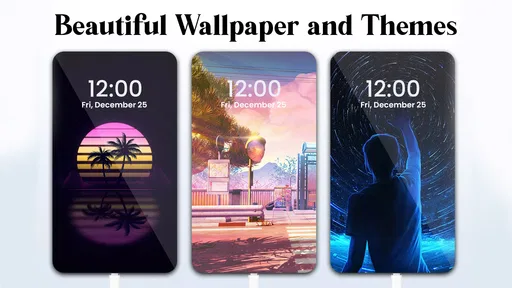
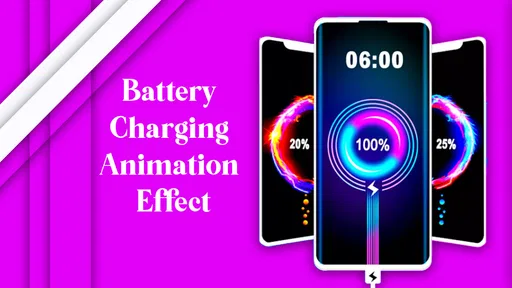
 Analysis by AppCompare
Ever stumbled upon a mundane task that suddenly became fun just because of a little creativity? That's exactly what happens when you dive into the world of 3D Battery Charging Animation on your phone. I mean, who knew charging your phone could be so exciting? Let’s take a deep dive into this app that turns a boring routine into an animated delight.
Who benefits most from a more expressive charging screen?
I see the appeal most clearly for someone who spends time near a desk, bedside table, or kitchen counter while their phone is charging. In those moments, a changing screen can make a routine pause feel more personal. It also suits people who enjoy tweaking their phone’s appearance but do not want to replace their whole home screen or commit to a new launcher. If you mainly charge your phone out of sight, though, the animation may not add enough value to justify keeping another personalization app installed.
A practical way to judge it is to try the visual treatment in the place where you charge most often, rather than deciding based on a preview alone. At a desk, the display may be a small moment of color during a break. At night, the same effect could be distracting if the screen catches your attention when you would rather wind down. I would treat the app as a decorative layer for a particular charging routine, not as a reason to leave a phone screen visible all evening.
Readability, navigation, and what the display communicates
The point of a charging animation is not only to look lively; it should still let me understand that the phone is charging and get a quick sense of progress. The original experience presents that information visually, which can be more inviting than checking a small battery symbol elsewhere. Still, animation and clear status are not automatically the same thing. If you prefer exact, glanceable information, compare what you can comfortably read on the charging screen with your phone’s regular battery display before making this your usual way to check.
For a less cluttered setup, I would choose an animation that remains easy to interpret at a glance and avoid changing several visual settings at once. That makes it simpler to tell whether a chosen look is genuinely comfortable or merely eye-catching. If you have difficulty distinguishing colors, rely on larger text, or find moving imagery tiring, test the screen in your normal lighting and viewing position. A design that seems clear while holding the phone close may be less useful when it sits farther away on a stand.
The Animated Revolution
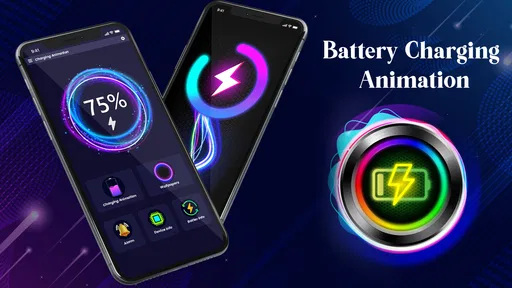
When I first heard about 3D Battery Charging Animation, I thought, "Really, how exciting can charging your phone get?" But the app pleasantly surprised me. It adds a splash of color and a touch of fun to the otherwise dull process of waiting for your phone to juice up. Imagine plugging in your phone and being greeted with vibrant 3D animations instead of the usual static battery icon. It’s like turning your phone into a tiny cinema screen every time you charge it!
Features That Spark Joy
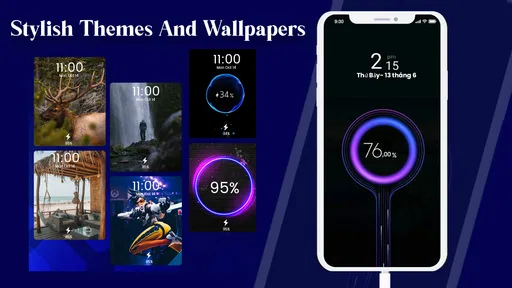
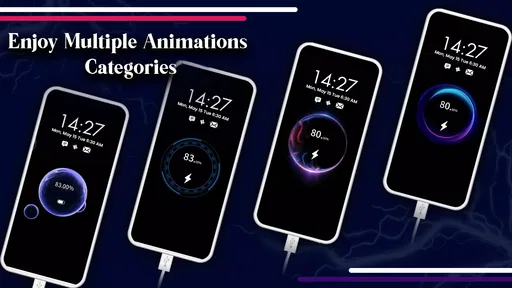
One of the things I love about this app is its variety. There’s a whole collection of animations to choose from, each more stunning than the last. Whether you’re into futuristic themes, nature-inspired visuals, or something a little more abstract, there’s something for everyone. You can even switch it up depending on your mood or the season. Halloween pumpkins, anyone?
Worth Reading Before You Choose

EA SPORTS FC Mobile 26 Is a Bigger Football Game, but It Takes Time

Flipboard Shows What News Apps Must Do Beyond the Feed

Switching to Android Auto Means Rethinking Your Driving Routine

Google Calendar Makes a Crowded Week Easier to Manage

Ludo King Makes the Most of the Minutes Between Plans

Baby Panda World Brings Quick Play to Modern Phones, but Its Game Library Feels Busy
The customization doesn’t stop there. The app lets you adjust the brightness and speed of the animations, which is fantastic for those of us who like to personalize everything. And let’s not forget the sound effects. Imagine a gentle melody playing as your phone charges, setting the perfect vibe for relaxation. It’s a small touch, but it makes a big difference.
Making the animation work in everyday settings
Think about a typical evening: I plug in my phone while getting ready for bed, then set it on a bedside table. That is a useful moment to ask whether the animation feels calming or keeps pulling my eyes back to the screen. I would start with a slower, less visually busy option and lower the brightness if the display feels too prominent. If sound is unwelcome in a shared room, I would leave it off rather than risk a charging effect interrupting someone else’s quiet time.
At work or in a study space, the trade-off changes. A bright moving screen can draw attention from nearby people, and any sound can be awkward in a meeting or library. The safest habit is to decide on a quiet, subdued setup before plugging in around others. For a phone left face down, the animation has little practical benefit; for a device placed upright where you can see it, it may be an enjoyable visual cue. The setting matters as much as the animation itself.
Motor and sensory comfort are personal choices
Adjustable speed and brightness give me useful ways to make the visuals feel less intense, but they do not guarantee that every animation will suit every person. Fast movement, vivid color, or audio can be uncomfortable for some users. I would preview a few options while seated and in a familiar environment, then keep the one that feels easiest to look at rather than the one with the most dramatic effect. If motion is uncomfortable, a static battery screen or a phone’s built-in charging display is likely a better fit.
There is also a small interaction trade-off: personalization is enjoyable when I have time to browse, but it can become fiddly if I want a quick, no-frills charging setup. I would make one considered choice, check that it remains readable, and avoid turning every charging session into another round of adjustments. That approach keeps the decorative feature from becoming a task of its own.
Performance and Usability
Now, you might be wondering if all these animations slow down your phone or drain the battery. Rest assured, the app is surprisingly lightweight. I didn’t notice any lag or excessive battery usage while using it. It runs smoothly, ensuring your phone’s performance isn’t compromised while you enjoy the show.
As for usability, the app’s interface is as intuitive as it gets. Navigating through the options is a breeze, even for those who aren’t tech-savvy. Just a couple of taps, and you’re all set up with your chosen animation. Plus, the app is compatible with a wide range of Android and iOS devices, so it’s accessible no matter what phone you’re rocking.
What to expect from a personalization app like this
Compared with the usual alternatives, this is a narrower choice than a full theme or launcher: it focuses on the moment a phone is charging rather than changing the look of every screen. That focus is its strength if you want a small visual flourish without reworking icons and layouts. A built-in battery indicator is still the more direct option when speed, simplicity, or unobtrusive status matters most; a static wallpaper is better if you want decoration without motion or sound.
For a first trial, I would use the free app for a few ordinary charging sessions before considering any paid extras. It is free to install, while in-app purchases range from $5.49 to $19.99 per item, so I would only spend if the available choices offer something I genuinely want after testing the basic experience. The developer is JedyApps, and the app is in the personalization category. Its current version is 2.0.3, and it runs on Android 7.0 or later. It is rated for Everyone, which describes its content rating rather than promising that every visual style will be comfortable for every viewer.
Why You Should Try It
So, why should you give 3D Battery Charging Animation a shot? Well, if you’re someone who appreciates a touch of fun in your daily routine, this app is a no-brainer. It’s perfect for breaking the monotony and adding a bit of excitement to your day. Plus, it’s a great conversation starter. Friends and family will definitely ask about those cool animations lighting up your screen!
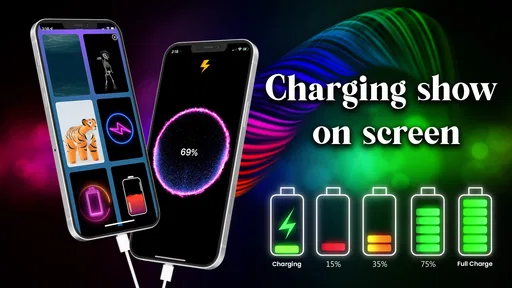
But it’s not just about aesthetics. The app also provides useful information, such as showing the charging progress in a visually appealing way. No more squinting at tiny numbers or guessing how much longer your phone will take to charge.
Who should skip it, and what I would check first
I would skip this app if I want a completely still screen, need to keep my phone discreet in shared spaces, or rarely look at the device while it charges. It is also not the right replacement for a dependable battery-status tool if I need information at a glance without opening or looking at an animated display. Before settling on it, I would check whether the charging view is easy to see from my usual spot, whether the motion feels comfortable, and whether sound fits the rooms where I charge.
It has been released since Aug 1, 2023, and has an average rating of 4.4 from around 13,000 ratings. More than a million installs suggest that plenty of people have tried it, though popularity alone cannot tell me whether its visual style will suit my habits. I would use those figures as context, then make the decision based on the practical test: does the animation make charging more enjoyable without making the screen harder to live with?
Final Thoughts
In a world where we’re constantly looking for ways to make everyday tasks more enjoyable, 3D Battery Charging Animation is a delightful find. It’s an app that’s as fun as it is functional, turning a mundane activity into a mini event every time you plug in your phone. So, if you’re ready to transform your charging experience, give it a go. It might just become your new favorite app!
My inclusive verdict is that its appeal depends on control and context more than novelty. I like the idea of choosing a charging display that feels personal, and the ability to tune brightness and speed can help make that choice more comfortable. But people who are sensitive to motion or sound, who need an especially quiet screen, or who depend on simple, immediate battery information may be happier with the phone’s standard display. With 42 reviews alongside its broader rating history, there is some written feedback to browse, but I would still make my own comfort the deciding factor. For me, it works best as an optional bit of character for visible charging moments, not something every phone or user needs.
Pros
- Visually engaging and fun animations.
- Customizable themes to suit your style.
- Easy to set up and use interface.
- Compatible with most devices.
- Doesn't significantly drain battery.
Cons
- Limited free animation options.
- May show ads in the free version.
- Requires internet for updates.
- Some animations are repetitive.
- Might slow down older devices.
FAQs for 3D Battery Charging Animation
What is the 3D Battery Charging Animation app?
The 3D Battery Charging Animation app provides visually engaging animations that play while your device charges. It transforms the mundane process of charging your phone into an exciting visual experience, featuring various themes and effects that can be customized to your liking.
Is the 3D Battery Charging Animation app free to use?
Yes, the app is free to download and use, but it may offer in-app purchases or ads. These purchases typically provide access to additional themes or remove ads, enhancing the overall user experience. Always check the app's store page for specific pricing details.
Does the app affect battery performance or charging speed?
The 3D Battery Charging Animation app is designed to minimally impact your device's performance. It runs animations during charging, but developers optimize these to ensure they do not significantly affect battery performance or charging speed. However, always monitor your device to ensure it operates smoothly.
Can I customize the animations in the app?
Yes, the app offers a variety of customization options. Users can choose from different themes, colors, and effects to personalize the charging animation. This feature allows you to tailor the visual experience according to your preferences, making charging both fun and unique.
Is the 3D Battery Charging Animation app compatible with all devices?
The app is generally compatible with most Android and iOS devices. However, some older models or those with specific software limitations might experience issues. It's recommended to check the app requirements on the store page to ensure full compatibility with your device.


